The Unity Desktop Shell for GNOME 3 on Ubuntu Linux has created a lot of controversy in the desktop Linux world. Some users love the new forward looking vision of Unity while others long for a more traditional desktop layout. One of the criticisms of Unity has been its lack of configuration settings. While many configuration settings have been added to Unity since the initial release, most of them remain hidden from regular users. That’s where the Unity Tweak Tool comes in. It provides GUI access to many of Unity’s hidden settings and collects them together under one convenient application.
Install Unity Tweak Tool
The Unity Tweak Tool is developed by the Freyja Development Team and they have provided a package archive on Launchpad.net. At the time of this writing, there is only a PPA for the daily builds of Unity Tweak Tool. The easiest way to set up the PPA is from the command line, so open up a terminal window and enter the following command.
[term]sudo apt-add-repository ppa:freyja-dev/unity-tweak-tool-daily[/term]
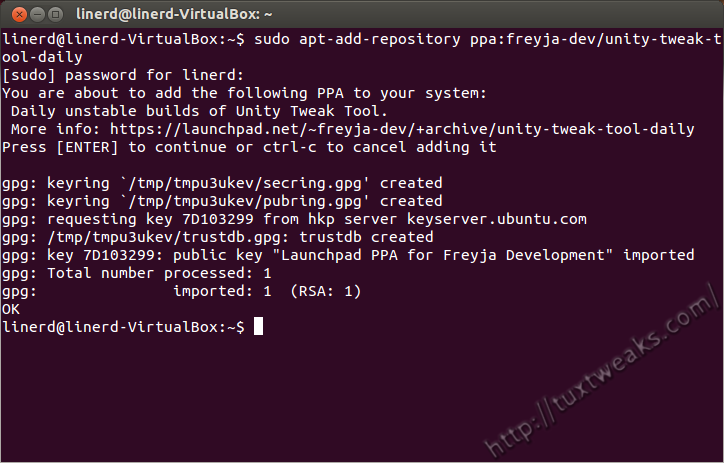
After entering your password at the prompt, press [ENTER] if prompted to continue with adding the PPA to your sources list. Next you need to update your package list.
[term] sudo apt-get update[/term]
Now you can install Unity Tweak Tool with
[term]sudo apt-get install unity-tweak-tool[/term]
Launch Unity Tweak Tool
Now that it’s installed, you can find it in the Unity Dash.

Once it’s launched, this is what you should see.
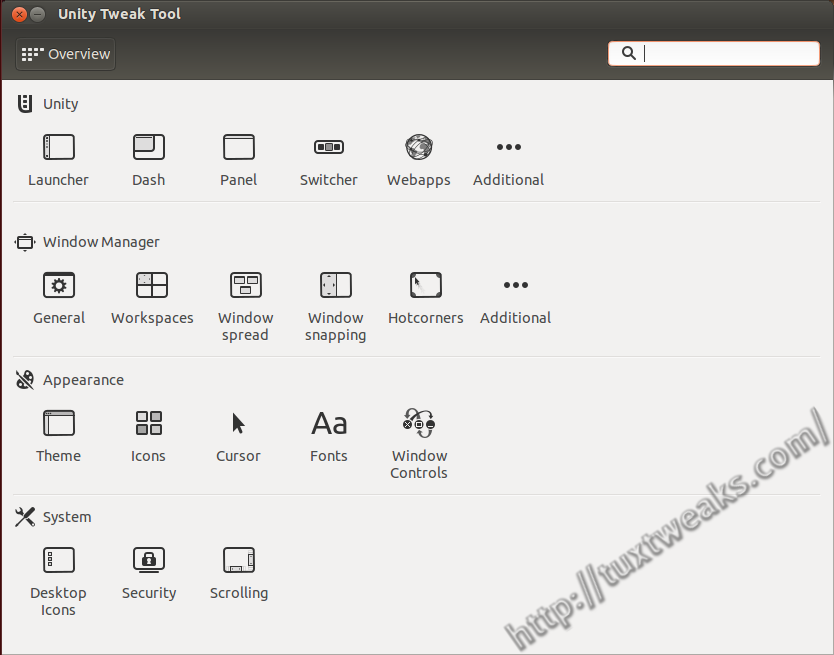
Now, I could go though all of the various settings you can adjust with Unity Tweak Tool, but it’s easier to just take a look at the menus for yourself. Take a look at the Unity Tweak Tool screenshots to see what it has to offer.
Unity Tweak Tool is a great addition to Ubuntu. Hopefully Canonical will see the value of this wonderful software and include it by default in future releases of Ubuntu.
This content originally appeared on TuxTweaks.com at https://tuxtweaks.com/2013/01/install-unity-tweak-tool-in-ubuntu/
mmm I get an error… Can anyone help me?
sudo apt-get install unity-tweak-tool
Reading package lists… Done
Building dependency tree
Reading state information… Done
E: Unable to locate package unity-tweak-tool
maybe you not use the vpn, your network was wall by your country