If you’ve been looking for a nice WebKit based web browser for Linux, Midori is a browser worth checking out. Although it’s still in early stages of development (the current version is 0.2.5,) it provides a fairly complete set of features for a web browser.
Some of the more advanced features include user scripts and user styles. User scripts are similar to Greasemonkey scripts in Firefox.
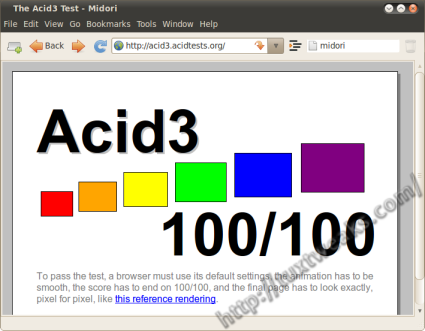
A couple of reasons to try Midori are speed and standards compliance. Midori is one of the few browsers available that passes the Acid3 test for web standards.
When it comes to performance, Midori also does well in Google’s V8 benchmark.
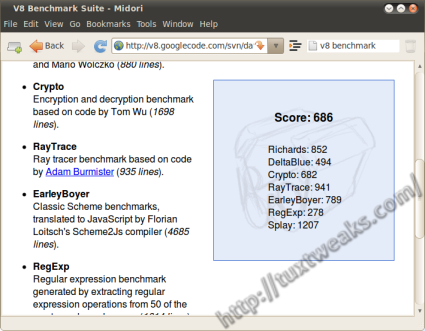
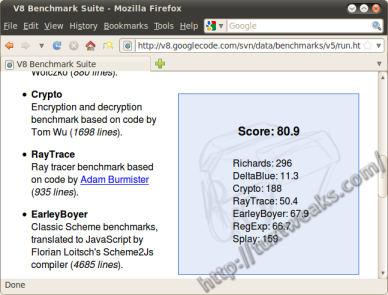
While those numbers may not look all that impressive, realize that the test was done on my netbook. Here’s a screenshot of the Firefox 3.6.3 results for comparison.
Midori also has 14 extensions that are installed by default that can be activated through the side panel.
If you’re looking for a speedy browser that is light on system resources, Midori may fit the bill for you. Give it a try. You can install Midori from the Ubuntu repositories with
[term]sudo apt-get install midori[/term]
or you can install the latest version from the project’s git repository.
Pingback: Links 6/6/2010: “Ubuntu Advantage”, Firefox 4 Early Walkthrough | Techrights