If you’ve added the Kubuntu packages to Ubuntu, or vice versa, then you can choose whether you want to use KDM or GDM to act as your log-in manager.
To choose your log-in manager, open a terminal and enter
[term]sudo dpkg-reconfigure kdm[/term]
Or alternatively
[term]sudo dpkg-reconfigure gdm[/term]
It doesn’t matter. Either one will work.

Hit [Enter] on your keyboard to move past the message screen.
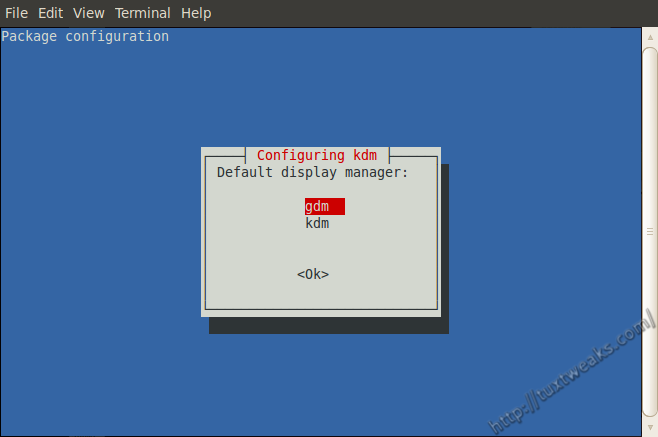
Use your arrow keys to select gdm or kdm and hit [Enter].
That’s it. Your chosen log-in manager will show up the next time you boot your computer.
Pingback: fsdaily.com