Distro Review: Xubuntu 13.04 Raring Ringtail
Xubuntu is a derivative of Ubuntu Linux that uses the Xfce desktop environment for the user interface. It is one of the official derivatives of Ubuntu Linux. The intent is for Xubuntu to be easy to use while being attractive and light on system resources. From the Xubuntu Strategy Document:
The target audience for Xubuntu consists of users who are interested in having an elegant, easy to use, polished and unified operating system. Xubuntu is a good option for those who want a stable, configurable and/or relatively light desktop environment too. Finally, Xubuntu is an appealing choice for users who prefer conservative workflows over the newest innovations. Read more
Enable Shortcodes in WPtouch on WordPress
Building a mobile website for your blog or business can be a daunting task. Perhaps you're an expert at mobile website development and you can design a mobile website on your own just fine. But for many of us, learning to do this would take far too much time and effort and probably wouldn't turn out all that great anyway. If you are using WordPress to run your website, you're in luck. There are several plugins available to make your site look great on mobile devices.
With over four million downloads, WPtouch is perhaps the most popular WordPress plugin to make your website mobile ready. I have been using it on this site for a month or two myself. You can see in the image below what my site's home page looks like on a mobile device with WPtouch enabled. Read more
6 Things To Do After Installing Ubuntu 13.04
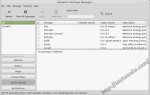
The latest version of Ubuntu just came out; Ubuntu 13.04 - Raring Ringtail. Canonical, the company behind Ubuntu Linux, has done a good job setting up a set of defaults for a fresh install, but there are a few things you may want to add or change on your freshly installed OS. Read more
Reset GRUB Default System After OS Installation
Filed under: command line, HowTo, linux, Linux Mint, Ubuntu
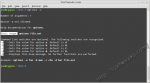
From time to time I like to test out a new Linux distribution or just an updated version of my current distribution. I've created extra partitions on my hard drive for these test installations. All of the distributions I've tried so far require a boot loader to be installed to the hard drive as part of the process. This creates the minor problem of the test installation taking over the boot process. I prefer to have my main Linux installation handle the booting process. The following steps will show how to hand boot control back to your main Linux installation with the GRUB 2 boot loader. Read more
Install Unity Tweak Tool in Ubuntu
The Unity Desktop Shell for GNOME 3 on Ubuntu Linux has created a lot of controversy in the desktop Linux world. Some users love the new forward looking vision of Unity while others long for a more traditional desktop layout. One of the criticisms of Unity has been its lack of configuration settings. While many configuration settings have been added to Unity since the initial release, most of them remain hidden from regular users. That's where the Unity Tweak Tool comes in. It provides GUI access to many of Unity's hidden settings and collects them together under one convenient application. Read more