There are a few common problems that people run into after installing LAMP on Ubuntu. In this post I’ll show how to fix a few of those problems. If you don’t already have LAMP set up, please see How To Install LAMP on Ubuntu.
Continue reading Fixing Common Problems with LAMP on UbuntuApache
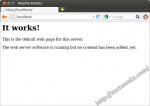
Why Install LAMP on Ubuntu? Why should you install LAMP on Ubuntu? When working on web development, I prefer to work within the privacy of my own development environment located on my computer. I’d rather make the majority of my mistakes where no one else can see them rather than out in the wild of …
Continue reading Installing a LAMP Server on UbuntuLAMP stands for Linux, Apache, MySQL, and php, (or Perl). It’s one of the most popular web hosting platforms. If you’re developing websites, it’s good to have your own private development environment to use while you build and test your websites. This post will show you how to install and configure a LAMP web development …
Continue reading Install LAMP and phpMyAdmin on Ubuntu 11.10If you’re developing websites, it’s nice to be able to test your code in the privacy of your own computer rather that out in the public internet. In order to do that, you’ll need to install a web server on your development computer. LAMP (Linux, Apache, MySQL, php) is one of the most common web …
Continue reading Installing LAMP on Ubuntu 10.04 and 10.10 (Lucid Lynx, Maverick Meerkat)If you’ve followed my posts on how to install LAMP on Ubuntu and basic Apache configuration, then you’re probably interested in doing some cross browser testing of the websites you build. Felipe, one of my readers, asked a question on my Apache configuration post about accessing his local websites from a VirtualBox guest OS. Specifically, …
Continue reading Access Your Web Server From a VirtualBox Guest OS