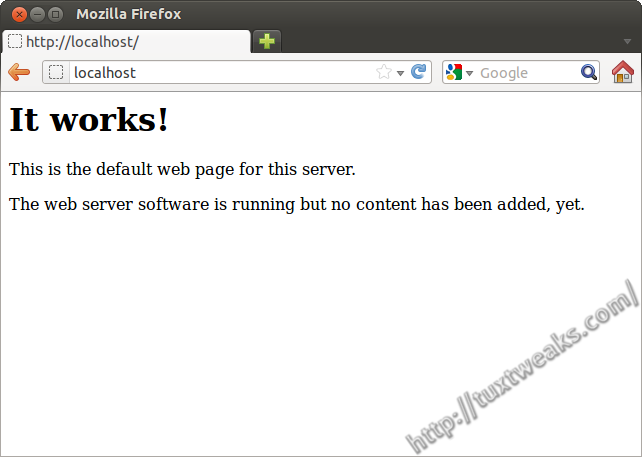
Install LAMP and phpMyAdmin on Ubuntu 11.10
LAMP stands for Linux, Apache, MySQL, and php, (or Perl). It's one of the most popular web hosting platforms. If you're developing websites, it's good to have your own private development environment to use while you build and test your websites. This post will show you how to install and configure a LAMP web development environment on Ubuntu 11.10 Oneiric Ocelot to use for testing. It can also be used to set up LAMP on a Virtual Private Server (VPS) or a Dedicated Server, but please note that this post does not cover setting up proper security for serving content to the internet. Read more
Remove Old Package Configuration Files in Ubuntu
Many software packages in Ubuntu come along with a package configuration file. These files are used to control various settings for their particular package. In most cases, there is no reason to keep these files around after you've removed a package from you system. They get removed from your system along with the software package if you happen to use the apt-get purge command or if you mark it for "Complete Removal" in Synaptic. But what if you didn't do that when you removed the package? Read more
View Your Linux Distro Version From The Command Line
Many different Linux distributions will display their version information in one place or another in the GUI. If you need to pull this information quickly, it may just be easier to open a terminal window and find it from the command line. Read more
Switching My Sister In-law To Linux
About a month ago my brother in-law came to me with his wife's "dead" Windows XP computer. The computer would not boot at all. After a successful POST, the system would just sit there, unable to find any bootable media. I was asked if I could recover their files for them. Outside of that, they didn't want to put any money into the computer. They were thinking about getting a Mac.
I told them that as long as there wasn't a serious hard drive failure, I could probably get all of their files. I figured I could boot the system to a Live CD and backup the files to my USB hard drive. Read more
Rename and Rotate Digital Photos With jhead
Filed under: command line, HowTo, image editing, linux, Ubuntu, windows
I've recently been looking for a way to organize my digital photos by the date and time they were taken. Since I have more than one camera, it's not as simple as just sorting through file names since the cameras name the files differently. I was going to write a script using Image Magick to read the EXIF data and then the script would rename and organize the photo into a folder based on the date the photo was taken. Well, it turns out that someone has already written a handy program to take care of most of this task. The program is called jhead. Read more